
Venue-change and time-change messages guests won't miss: templates
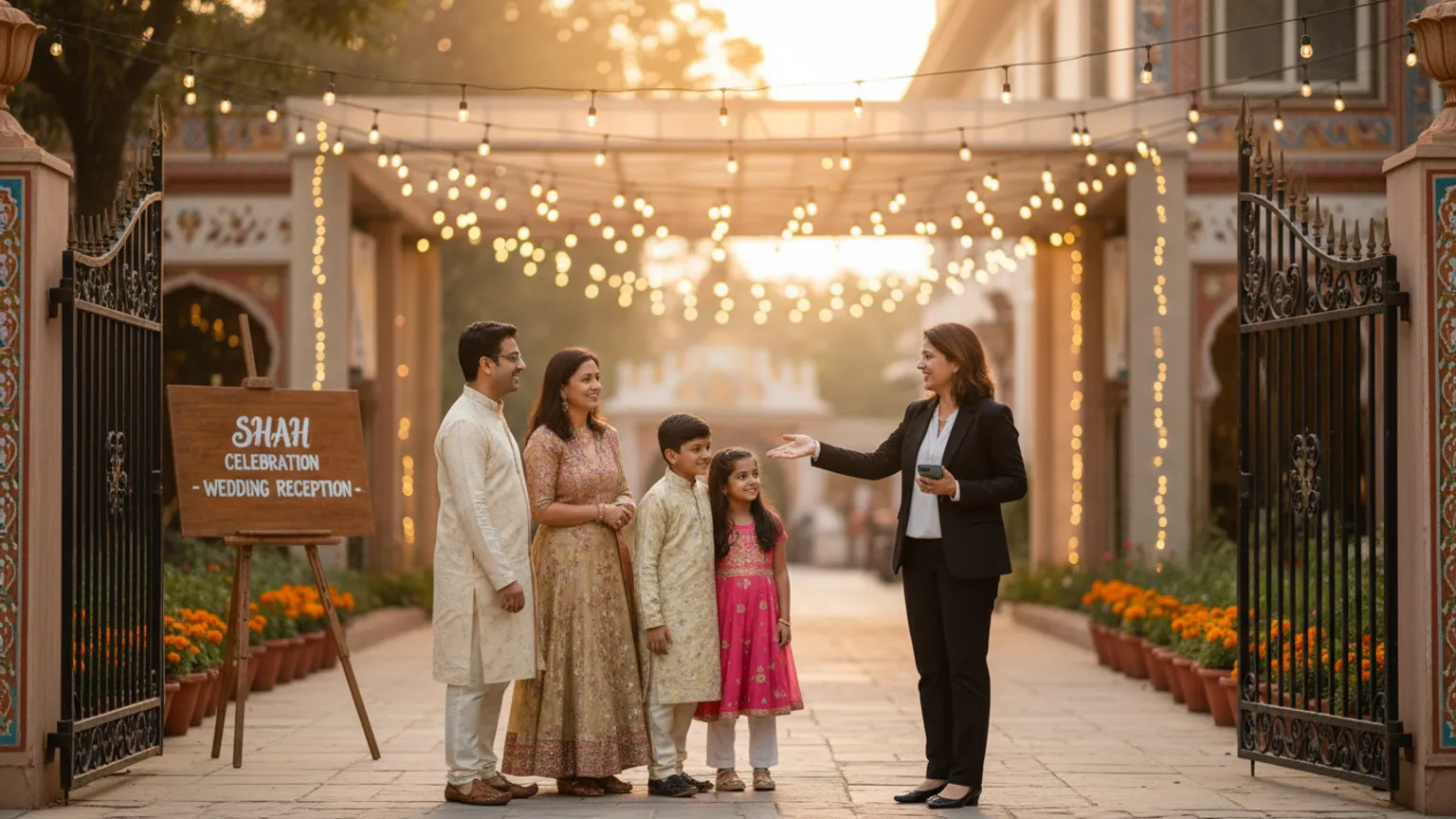
The message that taught me to respect this problem was three words long: "Venue change ho gaya." My friend Aakash sent it to a broadcast list of about ninety people, forty minutes before his son's first birthday, because the original banquet hall's generator had died in a July power cut and there was no AC in 39-degree heat. He'd found a smaller hall ten minutes away, called the caterer, moved the cake — heroic, honestly. And then eleven guests still drove to the old venue, stood in the empty parking lot in the heat, and called him one by one while he was trying to greet the people who had found the new place.
The venue didn't fail him. The message did. Not because it was wrong — it was true and it was fast — but because "venue change ho gaya" dropped into a WhatsApp group where the original invitation, the one with the old address, was still sitting three messages up looking far more official. Half the list glanced at the group, saw the beautiful card, and drove to what the card said.
I've since helped with a rained-out mehndi that moved indoors, a reception pushed ninety minutes later, and a puja whose date shifted by a day on the pandit's advice. Every time, the hard part wasn't deciding the change — it was making ninety distracted people actually notice it. So this is a templates post, but it's really about one skill: writing an update that cuts through the noise of the original invite. Copy these, change the details, send from your own WhatsApp.
Why change messages get missed (it's not carelessness)
Your guests aren't ignoring you. Three very ordinary things work against an update message, and once you see them, the fix becomes obvious.
The first message wins. Your guest read the original invitation days ago, and their brain filed "Saturday, 7 pm, Rose Banquet" as done. An update has to overwrite a memory that already feels settled — the same reason people head to the old terminal after a gate change.
A short update looks less important than a pretty card. In a group chat, a formatted invitation with a photo reads as "the real thing"; a quick text saying "time changed to 8" reads as chatter. The more beautiful your original card, the more your correction gets visually outranked by it.
Group chats bury things. Drop an update into a 90-person group and it's four messages deep within the hour, under "Congratulations!" and three thumbs-ups — and the people who most need the change are the ones who've muted the group.
None of this is fixed by sending the update harder. It's fixed by sending it differently — personally, clearly, and with the change as the very first thing the eye lands on.
The one rule: lead with what changed, not with "hi"
Here is the difference between a message that works and one that doesn't. Don't open with pleasantries and bury the change in sentence three — open with the change in bold, then the details, then the warmth. A guest skim-reading in a moving auto should get the whole point from the first line alone.
Bad: "Hello everyone, hope you're all excited for Saturday! Just a small note, we've had to make a tiny adjustment…"
Good: "⚠️ VENUE CHANGED — new address below. Aarav's birthday is now at Green Leaf Hall, not Rose Banquet."
The emoji and caps aren't decoration; they're a flag that says this is not the usual chatter, stop and read. Use them for genuine changes only — if you cry wolf with ⚠️ on a parking note, the next real one gets ignored.
Which changes need how much noise
Not every change deserves the same volume. A ten-minute delay is a footnote; a venue move is an all-hands alert. This is the table I run through before deciding how hard to push.
| What changed | Urgency | How to send it |
|---|---|---|
| Venue moved | Highest | Personal message to each guest + call the elders + pin in group |
| Date changed | Highest | Same as venue — this is the one people get most wrong |
| Time moved earlier | High | Personal message; earlier is riskier than later (people miss the start) |
| Time moved later | Medium | Group update + reminder morning-of |
| Weather relocation (same complex) | Medium | Group update + a person at the old spot to redirect |
| Parking / entrance / gate change | Low | One line in the group, plus a sign at the venue |
| Dress code / small detail | Low | Group message, no alarm needed |
The rule of thumb: anything that changes where or whether someone arrives on time gets a one-to-one message. Everything else can live in the group. A venue or date change sent only to a group is how you end up with eleven people in an empty parking lot.
The templates
1. Venue change (the big one)
Send this to each guest individually, not just the group. Include the new location as a live map link if you can — a pin is far harder to misread than a typed address.
English:
⚠️ VENUE CHANGED — please read, new address below. [Aarav's 1st birthday] is now at Green Leaf Hall, Sector 12 (NOT Rose Banquet). Same date, same time — Sat 9th, 6:30 pm. 📍 Map: [pin link] Landmark: opposite the SBI ATM, blue gate. So sorry for the last-minute change — the earlier hall had an AC failure. Please reply "got it" so I know it reached you. 🙏
Hinglish:
⚠️ VENUE CHANGE HO GAYA — please dhyaan se padhein, naya address neeche hai. [Aarav ka 1st birthday] ab Green Leaf Hall, Sector 12 mein hai (Rose Banquet NAHI). Date aur time wahi — Sat 9th, 6:30 pm. 📍 Map: [pin link] Landmark: SBI ATM ke saamne, blue gate. Last-minute change ke liye maafi 🙏 Purane hall mein AC kharaab ho gaya tha. Mil gaya message? Ek "haan mil gaya" bhej dijiyega. 🙏
That last line — "reply so I know it reached you" — is the most important sentence in the whole message, and I'll come back to why.
2. Time moved earlier
Earlier is the dangerous one. A guest planning to leave home at 7 for a 7:30 event will walk in at 7:30 to a function that started at 6:30 and missed the cake.
English:
⏰ TIME CHANGED — now starting EARLIER. [Riya's engagement] will now begin at 6:00 pm, not 7:30. Please plan to reach by 5:45 so you don't miss the ring ceremony. Same venue, same date. See you there! 💍
Hinglish:
⏰ TIME CHANGE — ab jaldi shuru ho raha hai. [Riya ki engagement] ab 6:00 pm se, 7:30 se nahi. Please 5:45 tak pahunchne ki koshish karein taaki ring ceremony miss na ho. Venue aur date wahi. Milte hain! 💍
3. Time moved later
Less risky — a late guest is fine when the event is later — but still worth a clear note so people don't arrive to an empty hall.
English:
Small update 🙂 [The reception] is now starting at 8:30 pm instead of 7:00 — the earlier function ran a little long. No rush, come by 8:30. Same venue. Dinner will be worth the wait! 🍽️
Hinglish:
Chhota update 🙂 [Reception] ab 8:30 pm se shuru hoga, 7:00 ke bajaye — pehla function thoda lamba chal gaya. Koi jaldi nahi, 8:30 tak aa jaayein. Venue wahi. Khaana intezaar ke laayak hoga! 🍽️
4. Date change
Treat this exactly like a venue change — personal, flagged, confirmed. A wrong date is worse than a wrong address, because the guest doesn't even find out they were wrong until it's too late.
English:
⚠️ DATE CHANGED — important. On the pandit's advice, the [Satyanarayan puja] has moved from Sunday 10th to Monday 11th, same time (10 am), same venue. Deeply sorry for the shift 🙏 Please reply "noted" so I'm sure it reached you.
Hinglish:
⚠️ DATE CHANGE — zaroori soochna. Panditji ke kehne par [Satyanarayan puja] ab Sunday 10 se badalkar Monday 11 ko hai, time wahi (10 baje), venue wahi. Badlaav ke liye kshama 🙏 "Noted" reply kar dein taaki confirm ho jaaye ki aap tak pahunch gaya.
5. Weather relocation (rain plan)
For an outdoor function that moves indoors — very common for monsoon mehndis and lawn receptions. Keep it calm; a panicked message makes guests think the whole event is off.
English:
🌧️ Quick weather update — because of the rain, [tonight's mehndi] has moved from the garden to the banquet hall upstairs, same building. Everything's on, just indoors and cosy now. Come straight to the first floor. See you soon! 🌸
Hinglish:
🌧️ Mausam ka chhota update — baarish ki wajah se [aaj ki mehndi] garden se upar banquet hall mein shift ho gayi hai, same building. Sab kuch on hai, bas andar aur cosy. Seedhe first floor pe aa jaayein. Jaldi milte hain! 🌸
The step everyone skips: confirm it landed
Sending the update is only half the job. The other half — the half Aakash missed — is knowing who actually saw it. A message sent is not a message read. Blue ticks tell you a chat was opened, not that it registered; plenty of people open, glance, and forget.
So build a reply into the important updates: "Please send a thumbs-up so I know it reached you." Now you have a live list. Anyone who hasn't reacted by a few hours before the event gets a follow-up — or, for the people who matter most, a phone call. For a venue or date change, I'd rather make ten quick calls than have one elderly uncle drive across town to a locked gate.
This is exactly the "did they see it?" problem I wrote about in why guests don't RSVP — the gap between "I sent it" and "they know" is where most hosting stress lives, and a change message widens it at the worst possible moment.
A pre-send checklist for any change message
Before you hit send on an update, thirty seconds down this list will save you an hour of confused calls.
- Change is in the first line, flagged with ⚠️ or ⏰ — not buried in a paragraph.
- You said what it's NOT as well as what it is ("Green Leaf Hall, NOT Rose Banquet").
- A map pin, not just a typed address, for any venue move.
- A landmark for the elders who navigate by chai stalls, not GPS.
- What stayed the same is stated ("date and time unchanged") so people don't re-panic.
- A confirmation ask ("reply 'got it'") on venue/date/earlier-time changes.
- Sent one-to-one for the big ones, not only dropped in the group.
- The old invitation is deleted or edited if it's still sitting in the group contradicting you.
That last one is quietly powerful. If the original card with the wrong address is still visible in the group, edit it (WhatsApp lets you, for a while) or post the new one right below with a note, so the two don't fight each other in people's feeds.
Who to call, not text
Some guests should never learn about a change from a message at all. Elders who read WhatsApp slowly or not at all, the guest travelling from out of town who's already planning their journey, and anyone whose absence would genuinely hurt — these get a phone call, full stop. A thirty-second "Kaka, chhota sa change hai, likh lijiye" beats the most perfectly formatted broadcast. The templates above are for the scale of your list; the ten people who matter most are worth your voice.
And be honest about when a change is small enough to not announce loudly. A parking-gate switch or a ten-minute delay doesn't need a ⚠️ blast to ninety people — a sign at the venue and one calm group line will do. Over-alerting trains guests to ignore your alerts, and then the day a real venue change hits, they scroll right past it.
When you're updating ninety people at once
For a small function, all of this is manual and fine — a dozen personal texts and two phone calls, done in fifteen minutes. That's genuinely the right tool for the job, and no app improves on it.
But a wide-net event is where a late change gets frightening, because you're now trying to reach ninety people individually and fast, track who confirmed, and greet arriving guests — all at once. That reach-everyone-and-know-who-saw-it problem is a big part of why I built Inyeet: every guest already has their own private link, so a change goes to them personally instead of drowning in a group, and you can see who's opened it. If you host at that scale often, it's worth a look at what it does. For the deeper mechanics of holding a big, back-loaded headcount together, my piece on why reception confirmations land in the final week covers the same nerves from the RSVP side.
But I'll say the honest thing: no tool saves you from a change you announce badly. The eleven people in Aakash's empty parking lot weren't a software failure — the message just didn't lead with the change and didn't ask anyone to confirm. Fix those two things and you've fixed most of it, notebook or app.
The takeaway
A venue or time change isn't the crisis — a missed change is. The original invitation is already lodged in your guests' heads, so your update has to overwrite it: lead with what changed in the very first line, say clearly what it is not, send the big ones one-to-one instead of only in a group, and ask people to confirm they saw it so you know who still needs a call. Do that, and the day the AC dies or the rain comes, ninety people quietly end up in the right place — and you get to spend the evening hosting, not standing in a parking lot on the phone.
Related reading
Farewell party invites: office and college messages from casual to formal
Copy-paste WhatsApp farewell invitations for colleagues, teams, seniors and classmates — casual to formal, with Hinglish variants, a tone table and RSVP nudge.
Godh bharai invitation messages families actually like: 9 templates
Copy-paste baby shower and godh bharai WhatsApp invitations — traditional, modern, co-ed and virtual versions in English and Hinglish, with a tone guide and RSVP nudge.
Anniversary party invitation messages: 8 templates with Hinglish variants
Copy-paste WhatsApp anniversary invitations — silver, golden, surprise and couple's-own versions in English and Hinglish, plus a tone guide and an RSVP nudge.